Key Implementations
As you’re creating your AI workstation/workflows, there are a few things that you won’t exactly get from an LLM, but instead, systems that you can build around the LLM to get even better results out of your Agent workflows.
Plugins
Within both Claude and Codex, you’ll see an option for /plugins.
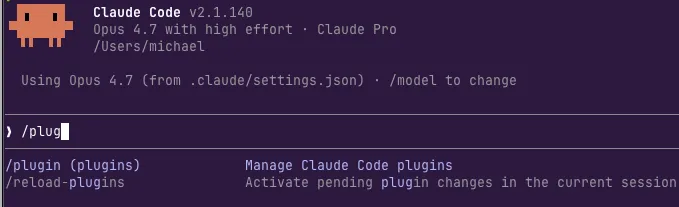
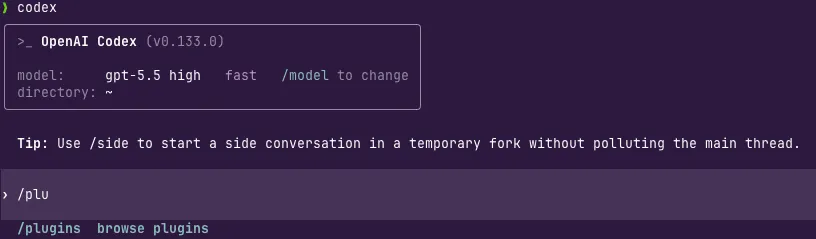
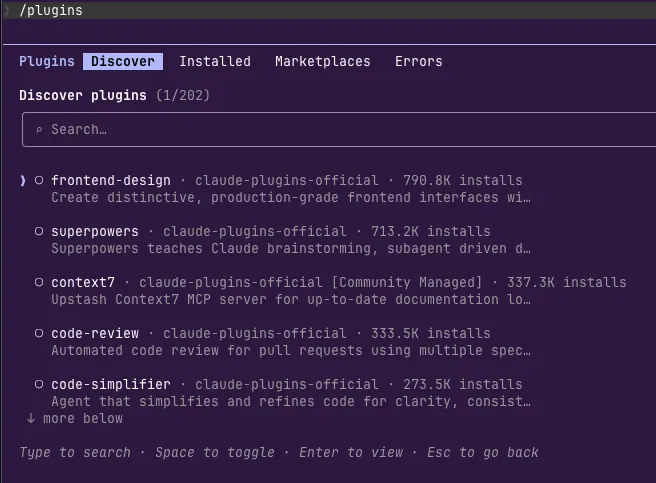
Plugins are like specialized skills that you can use based on what you’re trying to accomplish. For example, the frontend-design plugin is used a lot by designers and frontend engineers.
AGENTS.md or CLAUDE.md
If you use claude, you’ll most likely use a CLAUDE.md file. For opencode or Codex, it’ll be an AGENTS.md file. You can think of this file almost like a universal instruction. You’ll define it for things like “always prompt me before editing code” and “you’re a principal software engineer”. You can make it project specific (put the .MD file in a repo) or global (put it in your home directory for each runtime (e.g - Claude, Codex, opencode, etc.))
Here’s an example I have for opencode:
## Scope
- This directory is the global opencode config, not an application repo.
- Edit opencode behavior through `opencode.jsonc` or files under this directory; config changes require quitting and restarting opencode.

## Working Style
- Operate like a principal engineer: diagnose root causes, check assumptions against files, and prefer small correct changes over broad rewrites.
- Be concise with investigation and communication; gather enough context to avoid mistakes, but do not spend tokens on obvious facts or low-value exploration.
- Before running any shell command, ask the user for a yes/no confirmation and wait for approval.

## Config
- `opencode.jsonc` is strict opencode config and must keep `$schema: "https://opencode.ai/config.json"`.
- Before adding unfamiliar opencode fields, verify exact shape against `https://opencode.ai/config.json`; invalid fields can prevent startup.

## Node Package
- `package.json` only pins opencode plugin types: `@opencode-ai/plugin@1.4.1`.
- No npm scripts are defined; do not invent `npm test`, `npm lint`, or build commands for this directory.
- If dependencies need refresh, use `npm install` so `package-lock.json` stays authoritative.

## Files To Ignore
- `node_modules/`, `package.json`, `package-lock.json`, `bun.lock`, and `.gitignore` are ignored here by design.
- Do not use files under `node_modules/` as repo conventions; they are vendored dependencies.
Agent Skills
Agent Skills are a set of instructions, code examples, and documents used to enhance the knowledge of an Agent. For example, if you’re writing a backend in Python, you might have a “python-engineer-skill” that has code examples for backends/APIs along with links to some documentation to engineering in Python. You can create a Skill for anything.
You can see a few skills I’ve created for kagent and agentgateway here